Using UTM Parameter for a Zuddl Event
Last updated: November 16, 2026
Using UTM (Urchin Tracking Module) parameters to make it easy to trace back registrants to where and how they accessed your Zuddl registration link, thereby enabling you to efficiently manage your customers.
How UTM parameters are captured
At Zuddl, UTM parameters are captured directly in the registration form link.
When a user clicks on a campaign URL that you’ve built, the UTM parameters (such as, utm_source, utm_medium, utm_campaign, etc.) are included in the Zuddl registration form link and is automatically captured upon the registrant submits the form.
Supported registration pages for UTM:
Capturing of UTM parameter is supported for:
- Embedded registration flow
- Registration pages built via registration page builder - Registrations via integration
- Registration page built on Zuddl Sponsor or Zuddl Basic template
This captured UTM data can be seamlessly passed through any of Zuddl's native integrations, ensuring smooth tracking within your existing setup.
What parameters we capture
The following are the UTM parameters we track and recognise:
UTM Source
UTM Medium
UTM Campaign
UTM Term
UTM Content
UTM Id
Parameter | Example | Description |
Campaign ID (UTM Id) | acme.123 | Unique identifier of a campaign. Required to identify a particular campaign. |
Campaign Source (UTM Source) | Used to identify a particular referrer source such as search engine, newsletter, article, or other sources. | |
Campaign Medium (UTM Medium) | Used to identify a medium such as email. | |
Campaign Name (UTM Campaign) | in_person | Campaign name is also a unique identifier of the campaign that differentiates it from others |
Campaign Term (UTM Term) | keynote | Used to note the keywords for this campaign |
Campaign Content (UTM Content) | logolink | Used to differentiate ads or links |
UTM parameters are tracked and the last source of an attendee is recognized once the attendee submits the registration form.
We can also capture custom UTM parameters, which you can add as a hidden field to the registration form. Learn how to create custom UTM parameters in the following sections.
How to build your Campaign URL
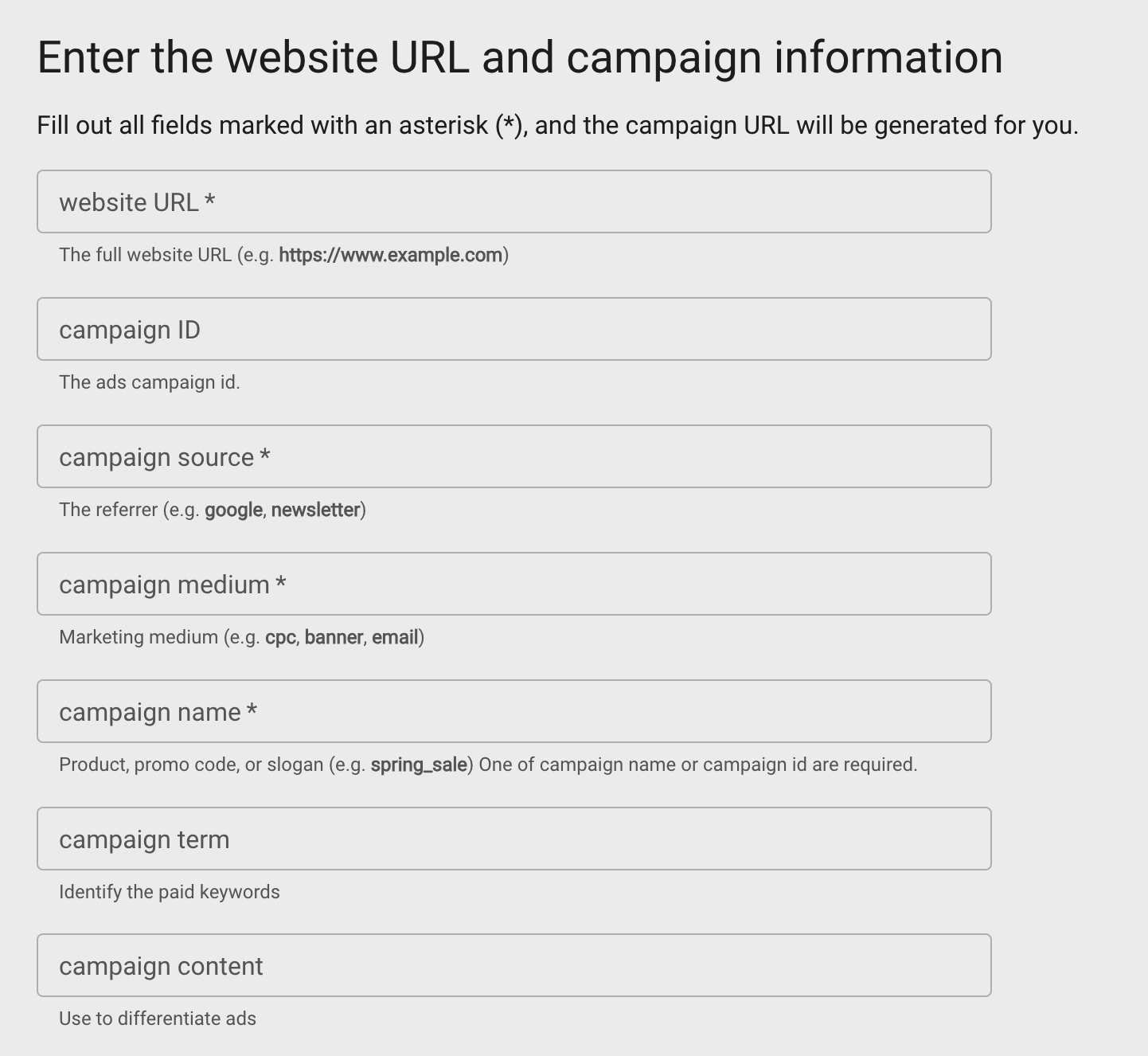
You can easily build your campaign URL using Google campaign URL builder. To build your campaign URL:
Go to Google campaign builder
Enter the following details:
website URL
campaign ID
campaign source
campaign medium
campaign name
campaign term
campaign content
How to create custom UTM parameters
You can easily add custom UTM parameters in registration form by inserting an equal to symbol ("=") as a prefix to the field name, for example, "=custm". This allows us to identify the UTM parameters from the URL.
These fields are also not visible to the registrants.
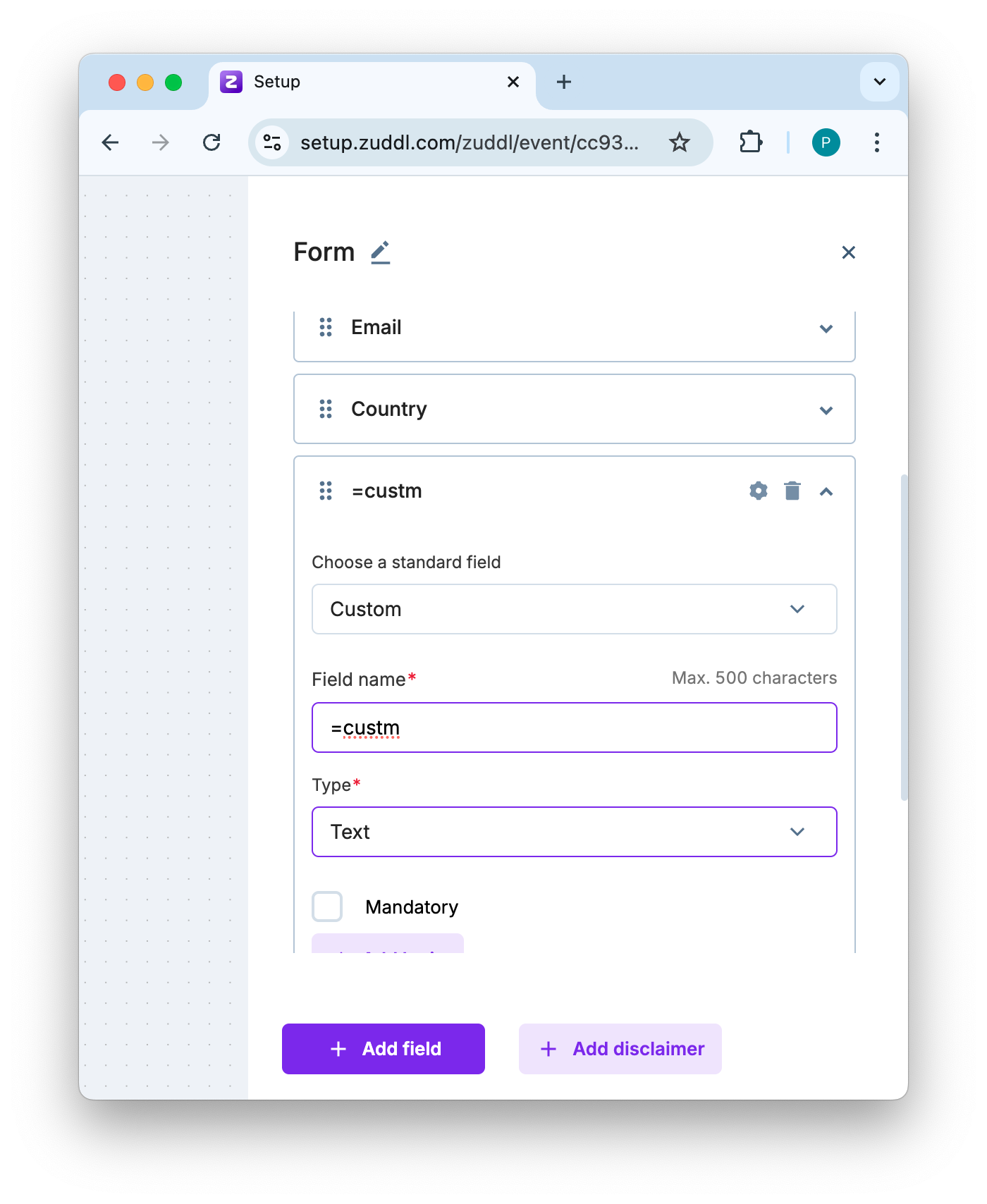
Then, you can append this field name to the registration URL and provide a unique value. For example, for two custom hidden fields '=custm' and 'guest,' the value can be added as shown below:
https://events.acme.com/zomaseguto?custm=facebook&guest=acmeguestCase sensitive
The custom UTM field is case-sensitive. The field name you append to the URL must be an exact match to the field name you configured from the dashboard.
Here is how it looks in the browser
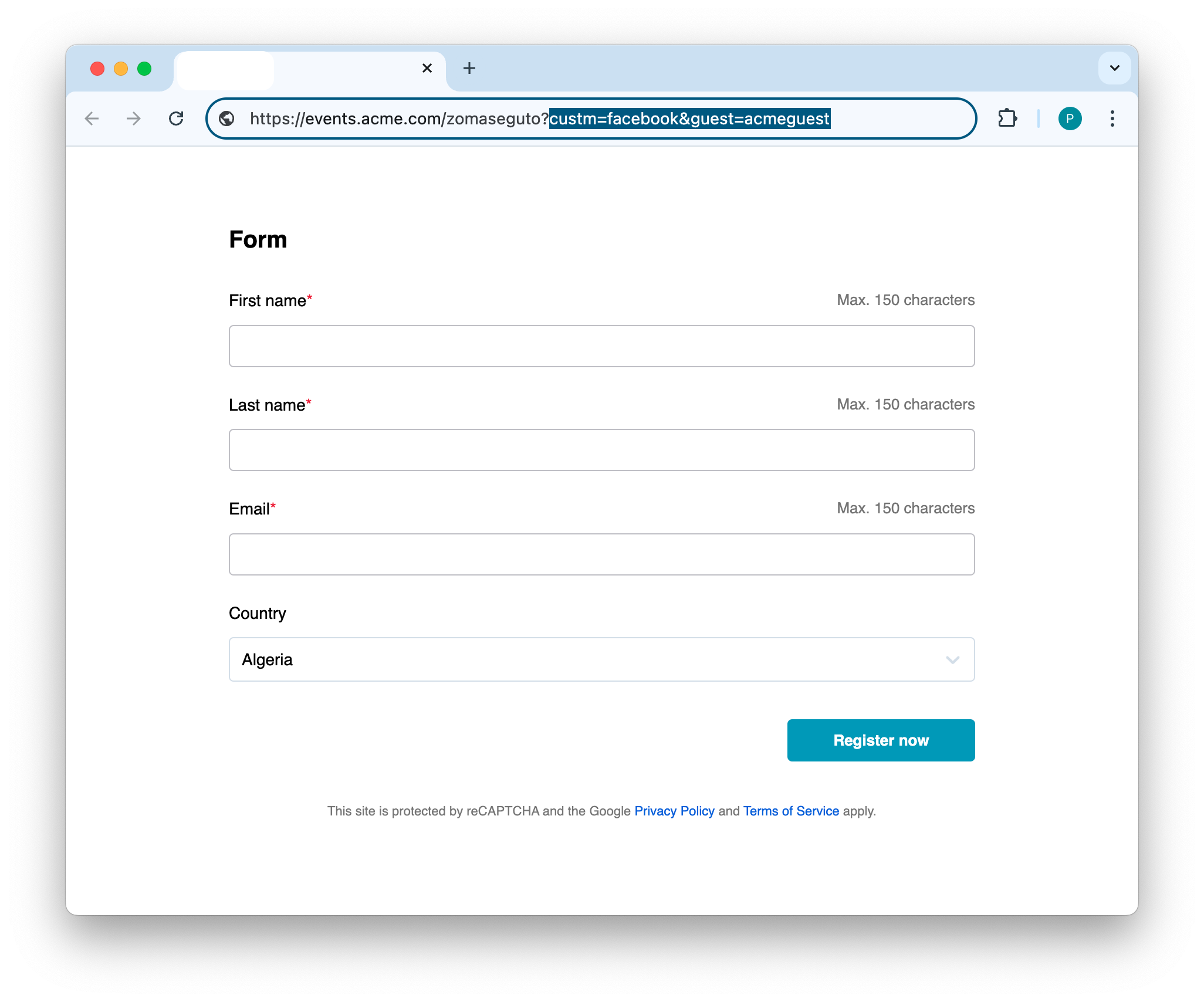
The hidden custom UTM fields appear on the attendee list table in the dashboard and display the value you provided. This helps in identifying the attendees with the custom UTM parameter
How UTM data is used in Zuddl
The captured UTM data can be passed to any of Zuddl’s native integrations along with the registration data.
Keep UTM data when visitors browse before registering
Visitors often open other pages before they register, and the UTM parameters drop out of the URL on the way. How Zuddl keeps them depends on where your registration form lives.
Zuddl landing page: UTM parameters in the URL are carried forward as the visitor moves between pages of the site during the same browsing session, so no setup is needed.
Form embedded on your own website: Zuddl forms can read UTM values from a first-party cookie that your website sets. This keeps the UTM data even after the parameters drop out of the URL.
How cookie reading works
When a visitor opens a page with your Zuddl registration form, the form looks for the cookie name you gave us, reads its value, and picks out each UTM parameter from it. That means the whole set of UTM values has to sit inside one cookie.
Store the value in one of these formats:
Query string:
utm_source=linkedin&utm_medium=social&utm_campaign=spring_launchJSON object:
{"utm_source":"linkedin","utm_medium":"social","utm_campaign":"spring_launch"}
Example of a supported cookie:
Cookie name:  acme_utms
Cookie value: utm_source=linkedin&utm_medium=social&utm_campaign=spring_launch&utm_term=events&utm_content=banner
One cookie per parameter is not supported
Zuddl cannot read UTM values stored as separate cookies, for example a cookie named utm_source with the value linkedin and another named utm_medium with the value social. Store all the UTM values together in a single cookie, using one of the formats above.
Cookie requirements
Same domain: Set the cookie on the domain of the page where the Zuddl form loads, or on its parent domain (for example
.acme.com), so the form can see it.Not HttpOnly: The cookie must not be marked HttpOnly, because the browser hides HttpOnly cookies from the form.
Set by your website: Zuddl reads the cookie but does not create it.
Steps
Set up your website to save the UTM parameters in a single first-party cookie when a visitor first lands with them, using the query string or JSON format above.
If you use a parameter outside the standard list (for example
utm_targeting), add a hidden custom UTM field for it in the registration form, named with an "=" prefix (for example=utm_targeting).Send these details to Zuddl Support or your Customer Success Manager:
The cookie name
An example cookie value
The URL of the page where the registration form appears
We turn on cookie reading for your organization and confirm when it is live.
Test it: open your page with UTM parameters, go to another page on your site, register on a test event, and check the UTM columns in the attendee list.
Once cookie reading is on, a UTM value in the cookie takes priority over the same parameter in the URL. If a parameter is not in the cookie, Zuddl falls back to the URL. Custom UTM fields (field names starting with "=") are read from the cookie too, using the field name without the "=".